Why is my robotic mower damaging the lawn? Causes and solutions
A robotic mower is supposed to keep the lawn well-maintained – and suddenly the garden looks worse in some spots than before. Track marks, bare circles, torn spots, or worn paths along the same route appear. Many owners first think of a defect. In practice, however, the cause is often not a single technical error, but a combination of garden layout, soil conditions, driving behavior, and maintenance.
The good news: Most of these problems are known and can be specifically improved. Those who understand why a robotic mower damages the lawn can often significantly mitigate the causes with a few adjustments.
In this article, we look at the most common reasons why robotic mowers leave marks on the lawn or damage the turf – and what you can do about it.
1. The robot turns on the spot and tears up the turf
This is one of the most common and at the same time most frustrating reasons. Many users describe that the robotic mower makes too tight turning movements when changing direction. Instead of steering smoothly, the device almost turns on the spot. The wheels push sideways over the turf, tearing up roots and leaving bare circles or semicircular scuff marks over time.
This becomes particularly noticeable at turning points, in narrow areas, and in places where the robot often has to brake and realign. Some users refer to this as “tank turns” or “donuts” because the marks look exactly like that.
Solution: Observe where the robot performs these tight turning maneuvers. Larger safety distances at edges, slightly wider passages, or an adjustment of the mowing zones often help. If the app allows it, also check settings for turning maneuvers, patterns, or obstacle behavior.
2. Always the same paths lead to permanent track marks
Many robotic mowers drive certain routes particularly often: the way to the charging station, a corridor between two zones, or a narrow path along a hedge. Even if the wheels do not spin, a visible strain on the grass area develops over time. The soil compacts, the blades are driven down, and the spot looks permanently weaker.
This happens especially often with wireless models with very precise driving paths, but classic devices can also create the same tracks over a longer period.
Solution: Vary the paths or starting points if possible. Check if the docking route can be changed or if a corridor should be slightly widened. In some gardens, it already helps to lay the guide to the station a little differently so that the robot does not always use exactly the same line.
3. Wet soil makes the problem significantly worse
A robot that drives acceptably on dry grass can suddenly cause significantly more damage when wet. The soil becomes softer, traction is worse, and the wheels dig in faster. This leads to visible ruts, displaced soil, or bare spots in the turf.
Many users report that the problems do not occur with every use, but especially after rain, with heavy morning dew, or in permanently damp areas in the garden.
Solution: If your model does not use a sensible rain sensor or if your property is sensitive to moisture, schedule mowing times during drier parts of the day. Moist problem zones should be leveled or drained as much as possible. Especially on slopes and turning points, this makes a big difference.
4. Poor traction causes spinning wheels
Not every lawn damage comes directly from the mowing unit. Often the problem is simply with the wheels. If they have too little grip, they spin when starting, turning, or on slight inclines. This tears up the topsoil and damages the grass roots.
This can happen even if the garden is not particularly steep. Even small unevenness, smooth tire profiles, or wet grass surfaces are enough to exacerbate the problem.
Solution: Clean the wheels regularly so that no film of grass and mud forms. If the robot keeps slipping in the same spots, additional traction can help. In such cases, suitable wheel solutions or spikes are often much more effective than constantly repairing the lawn.
5. Unevenness, holes, and sunken spots exacerbate the strain
Many gardens appear level at first glance – in practice, however, there are small depressions, transitions, molehills, old track marks, or poorly filled holes. Exactly there, the robot gets caught, loses traction, or slightly scrapes with the front. The result is often not only getting stuck but also additional damage to the grass area.
Especially when the robot repeatedly starts at such spots, reverses, and turns anew, bare or churned areas quickly develop.
Solution: Specifically check the typical problem areas. Level small depressions with soil, smooth transitions, and stabilize soft zones – this often brings more than any software adjustment.
6. Too narrow boundaries at edges, beds, or walls
If the mowing boundary is too close to an edge, the robot more often gets into unfavorable maneuvers. It corrects, reverses, turns tighter – and repeatedly strains exactly the same narrow strip. This often leads to visible damage along walls, paths, raised beds, or terrace edges.
With wired models, this is often a question of the distance to the boundary wire. With wireless devices, the cause is often a too narrowly set virtual boundary.
Solution: Prefer to accept a little less cutting edge in critical spots and give the robot more space. A small safety distance often prevents significantly more lawn damage than it costs visually.
7. The charging station is a typical problem hotspot
An area that quickly suffers in many gardens is the zone in front of the charging station. The robot repeatedly drives there, brakes, corrects its position, and turns when parking in or out. If the area is soft, narrow, or slightly sloped, the strain becomes particularly apparent.
Many users are surprised that the rest of the garden looks neat while the area at the station slowly becomes a bare track.
Solution: Place the station on a stable, level surface with a sufficiently straight approach path. If the zone is already heavily strained, it is worth improving the ground locally or slightly remodeling the area.
8. Too frequent mowing on sensitive grass
A robotic mower is designed for regular mowing. However, this does not automatically mean that “more is always better.” On robust, dense grass, frequent use usually works without problems. On young, weakened, or sensitive grass, the strain from frequent trips can be greater than the benefit.
This is especially true during the growth phase after new seeding, after repair spots, or in areas that already suffer from drought, shade, or moss.
Solution: Reduce the mowing frequency where the grass is not yet stable. New or repaired areas should not be fully strained again immediately. Sometimes less driving time is exactly what the area needs.
9. Dull blades and dirty cutting discs worsen the result
Lawn damage does not only occur from wheels. If the blades are dull or the cutting disc is heavily soiled, the cut becomes unclean. The grass is more likely to be bruised or frayed rather than cleanly cut. Especially in wet weather, more clippings then additionally hang under the device.
This is not always the direct cause of track marks, but it worsens the overall condition of the lawn. Weakened blades regenerate poorly, and sensitive areas look “damaged” more quickly.
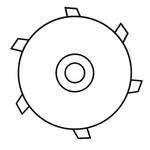
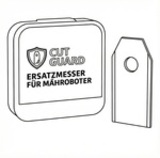
Solution: Regularly check blades and cutting disc. If the cutting pattern worsens or a lot of grass accumulates under the mowing unit, replacement is often worthwhile immediately. Suitable parts can be found here:
10. The garden layout is more unfavorable for the robot than expected
Some damage does not result from a single error but from the interplay of many small factors: narrow passages, sharp corners, problematic edges, changing soil conditions, and sensitive grass areas. The robot then constantly has to correct, brake, turn, and start anew.
The result is a garden that seems completely normal to humans but is full of stress points from the perspective of a small autonomous vehicle. This is exactly where the typical problem zones arise.
Solution: Think of the garden from the robot’s perspective. Where does it constantly have to realign? Where is the path to the station particularly narrow? Where does the ground change? Even small adjustments in the layout can significantly reduce the strain.
What helps most in practice
When a robotic mower damages the lawn, there is rarely a single miracle solution. In practice, several small corrections usually help simultaneously: smoothing problem areas, avoiding mowing times in wet conditions, pulling back the boundary at critical edges a bit, easing the paths to the station, and improving traction.
This is also what many users report: Only the combination of a better setup, clean mowing unit, and a realistic view of the weaknesses in the garden brings lasting peace to the matter.
When it is more about the garden than the robot
This is a point that many only accept late: Not every garden is immediately perfectly prepared for a robotic mower. If the property has many narrow spots, slopes, soft soils, or uneven transitions, additional optimization is completely normal. This does not mean that the robot is bad – but that the system of garden plus robot is not yet ideally working together.
Especially if the same two or three spots always cause problems, there is a high chance that the garden should be adjusted there and not the entire robot questioned.
Conclusion
When a robotic mower damages the lawn, there is usually no mysterious defect behind it, but a very specific pattern: too tight turning maneuvers, repeated track marks, wet soil, poor traction, problematic edges, or a permanently overloaded zone at the charging station.
The good news: Almost all of these causes can be identified and specifically improved. Those who optimize the garden at critical points, keep an eye on wear parts, and make the conditions a bit fairer for the robot will usually achieve a significantly better result again – and above all, a lawn that looks as a robotic mower should actually leave it.








Why is my robotic lawnmower damaging the lawn? Causes and solutions
Why is my robotic mower damaging the lawn? Causes and solutions
A robotic mower is supposed to keep the lawn well-maintained – and suddenly the garden looks worse in some spots than before. Track marks, bare circles, torn spots, or worn paths along the same route appear. Many owners first think of a defect. In practice, however, the cause is often not a single technical error, but a combination of garden layout, soil conditions, driving behavior, and maintenance.
The good news: Most of these problems are known and can be specifically improved. Those who understand why a robotic mower damages the lawn can often significantly mitigate the causes with a few adjustments.
In this article, we look at the most common reasons why robotic mowers leave marks on the lawn or damage the turf – and what you can do about it.
1. The robot turns on the spot and tears up the turf
This is one of the most common and at the same time most frustrating reasons. Many users describe that the robotic mower makes too tight turning movements when changing direction. Instead of steering smoothly, the device almost turns on the spot. The wheels push sideways over the turf, tearing up roots and leaving bare circles or semicircular scuff marks over time.
This becomes particularly noticeable at turning points, in narrow areas, and in places where the robot often has to brake and realign. Some users refer to this as “tank turns” or “donuts” because the marks look exactly like that.
Solution: Observe where the robot performs these tight turning maneuvers. Larger safety distances at edges, slightly wider passages, or an adjustment of the mowing zones often help. If the app allows it, also check settings for turning maneuvers, patterns, or obstacle behavior.
2. Always the same paths lead to permanent track marks
Many robotic mowers drive certain routes particularly often: the way to the charging station, a corridor between two zones, or a narrow path along a hedge. Even if the wheels do not spin, a visible strain on the grass area develops over time. The soil compacts, the blades are driven down, and the spot looks permanently weaker.
This happens especially often with wireless models with very precise driving paths, but classic devices can also create the same tracks over a longer period.
Solution: Vary the paths or starting points if possible. Check if the docking route can be changed or if a corridor should be slightly widened. In some gardens, it already helps to lay the guide to the station a little differently so that the robot does not always use exactly the same line.
3. Wet soil makes the problem significantly worse
A robot that drives acceptably on dry grass can suddenly cause significantly more damage when wet. The soil becomes softer, traction is worse, and the wheels dig in faster. This leads to visible ruts, displaced soil, or bare spots in the turf.
Many users report that the problems do not occur with every use, but especially after rain, with heavy morning dew, or in permanently damp areas in the garden.
Solution: If your model does not use a sensible rain sensor or if your property is sensitive to moisture, schedule mowing times during drier parts of the day. Moist problem zones should be leveled or drained as much as possible. Especially on slopes and turning points, this makes a big difference.
4. Poor traction causes spinning wheels
Not every lawn damage comes directly from the mowing unit. Often the problem is simply with the wheels. If they have too little grip, they spin when starting, turning, or on slight inclines. This tears up the topsoil and damages the grass roots.
This can happen even if the garden is not particularly steep. Even small unevenness, smooth tire profiles, or wet grass surfaces are enough to exacerbate the problem.
Solution: Clean the wheels regularly so that no film of grass and mud forms. If the robot keeps slipping in the same spots, additional traction can help. In such cases, suitable wheel solutions or spikes are often much more effective than constantly repairing the lawn.
5. Unevenness, holes, and sunken spots exacerbate the strain
Many gardens appear level at first glance – in practice, however, there are small depressions, transitions, molehills, old track marks, or poorly filled holes. Exactly there, the robot gets caught, loses traction, or slightly scrapes with the front. The result is often not only getting stuck but also additional damage to the grass area.
Especially when the robot repeatedly starts at such spots, reverses, and turns anew, bare or churned areas quickly develop.
Solution: Specifically check the typical problem areas. Level small depressions with soil, smooth transitions, and stabilize soft zones – this often brings more than any software adjustment.
6. Too narrow boundaries at edges, beds, or walls
If the mowing boundary is too close to an edge, the robot more often gets into unfavorable maneuvers. It corrects, reverses, turns tighter – and repeatedly strains exactly the same narrow strip. This often leads to visible damage along walls, paths, raised beds, or terrace edges.
With wired models, this is often a question of the distance to the boundary wire. With wireless devices, the cause is often a too narrowly set virtual boundary.
Solution: Prefer to accept a little less cutting edge in critical spots and give the robot more space. A small safety distance often prevents significantly more lawn damage than it costs visually.
7. The charging station is a typical problem hotspot
An area that quickly suffers in many gardens is the zone in front of the charging station. The robot repeatedly drives there, brakes, corrects its position, and turns when parking in or out. If the area is soft, narrow, or slightly sloped, the strain becomes particularly apparent.
Many users are surprised that the rest of the garden looks neat while the area at the station slowly becomes a bare track.
Solution: Place the station on a stable, level surface with a sufficiently straight approach path. If the zone is already heavily strained, it is worth improving the ground locally or slightly remodeling the area.
8. Too frequent mowing on sensitive grass
A robotic mower is designed for regular mowing. However, this does not automatically mean that “more is always better.” On robust, dense grass, frequent use usually works without problems. On young, weakened, or sensitive grass, the strain from frequent trips can be greater than the benefit.
This is especially true during the growth phase after new seeding, after repair spots, or in areas that already suffer from drought, shade, or moss.
Solution: Reduce the mowing frequency where the grass is not yet stable. New or repaired areas should not be fully strained again immediately. Sometimes less driving time is exactly what the area needs.
9. Dull blades and dirty cutting discs worsen the result
Lawn damage does not only occur from wheels. If the blades are dull or the cutting disc is heavily soiled, the cut becomes unclean. The grass is more likely to be bruised or frayed rather than cleanly cut. Especially in wet weather, more clippings then additionally hang under the device.
This is not always the direct cause of track marks, but it worsens the overall condition of the lawn. Weakened blades regenerate poorly, and sensitive areas look “damaged” more quickly.
Solution: Regularly check blades and cutting disc. If the cutting pattern worsens or a lot of grass accumulates under the mowing unit, replacement is often worthwhile immediately. Suitable parts can be found here:
Cutting discs for robotic mowers
Replacement blades for robotic mowers
10. The garden layout is more unfavorable for the robot than expected
Some damage does not result from a single error but from the interplay of many small factors: narrow passages, sharp corners, problematic edges, changing soil conditions, and sensitive grass areas. The robot then constantly has to correct, brake, turn, and start anew.
The result is a garden that seems completely normal to humans but is full of stress points from the perspective of a small autonomous vehicle. This is exactly where the typical problem zones arise.
Solution: Think of the garden from the robot’s perspective. Where does it constantly have to realign? Where is the path to the station particularly narrow? Where does the ground change? Even small adjustments in the layout can significantly reduce the strain.
What helps most in practice
When a robotic mower damages the lawn, there is rarely a single miracle solution. In practice, several small corrections usually help simultaneously: smoothing problem areas, avoiding mowing times in wet conditions, pulling back the boundary at critical edges a bit, easing the paths to the station, and improving traction.
This is also what many users report: Only the combination of a better setup, clean mowing unit, and a realistic view of the weaknesses in the garden brings lasting peace to the matter.
When it is more about the garden than the robot
This is a point that many only accept late: Not every garden is immediately perfectly prepared for a robotic mower. If the property has many narrow spots, slopes, soft soils, or uneven transitions, additional optimization is completely normal. This does not mean that the robot is bad – but that the system of garden plus robot is not yet ideally working together.
Especially if the same two or three spots always cause problems, there is a high chance that the garden should be adjusted there and not the entire robot questioned.
Conclusion
When a robotic mower damages the lawn, there is usually no mysterious defect behind it, but a very specific pattern: too tight turning maneuvers, repeated track marks, wet soil, poor traction, problematic edges, or a permanently overloaded zone at the charging station.
The good news: Almost all of these causes can be identified and specifically improved. Those who optimize the garden at critical points, keep an eye on wear parts, and make the conditions a bit fairer for the robot will usually achieve a significantly better result again – and above all, a lawn that looks as a robotic mower should actually leave it.